Description
Description
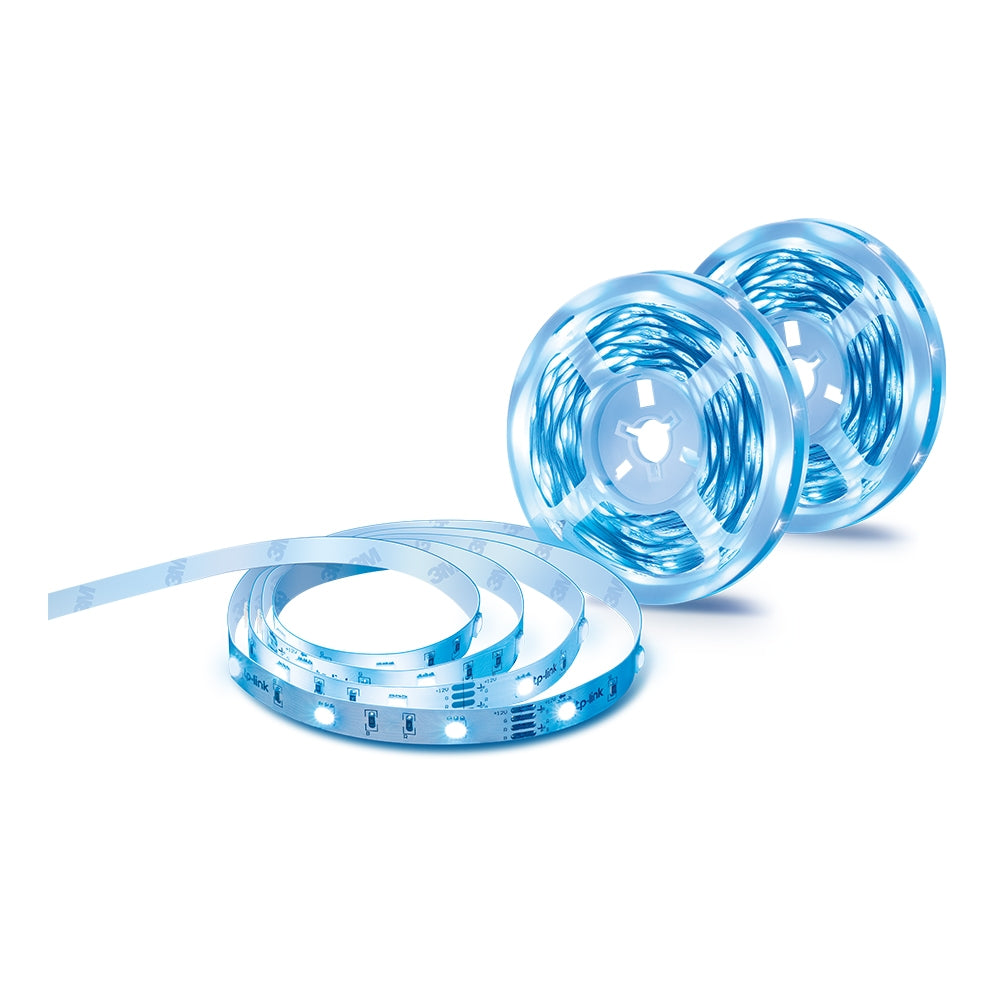
Smart Wi-Fi Light Strip
Fill any room of your house with over 16 million vibrant colors, warm white, or cool daylight to choose from as the mood takes you.
Once you work out how you want your lighting set up, save it, schedule it, and you’re ready to go! Set for your times and you can enjoy it.
Bounce to the Music and the Lights
Let your music overtake you as the lights reflect your mood. Pick up sound through your mobile device and set up the perfect party atmosphere. The lights will sync to the frequency and the beat, creating a mini festival in your own home.
Control With Your Voice
The Smart Wi-Fi Light Strip reacts to your preferred smart home platforms, including Google Assistant, Amazon Alexa, and Apple Home.
Direct Control
All Tapo Smart Wi-Fi Light Strips let you connect directly to the Tapo App. Take full advantage of all the intelligent features you demand.
Automatic Control
Let the light strip guide you through the night. Connect to the Tapo Sensor and glow softly as you get up in the night. It will turn itself off after a short period of time without disturbing others.
Tactile Control
Use the Controller Box to manipulate the Light Strip. Turn it on or off, reset the Light Strip, and change the current colors.
Features
Features
- Great Adaptability – Easy to be fixed around the corners to fit your customized needs.
- Flexible Installation - Cut it to whatever length you want and attach it to any surface with the 3M adhesive.
- Wind Down at Night - Install the Light Strip to relax your body and mind through a mood-setting atmosphere
- Schedule & Timer - Create schedules and count plans to turn on/off with the brightness/color you set.
- Away Mode - Simulate someone being at home to frighten away, unwanted visitors.
- Connect It Your Way - Use it with your smart assistant, a hub, or connect directly to the Tapo App. Control the Light Strip however you want.
- Voice Control - Use simple voice commands to control your light strip with Alexa or Google Assistant.
- Preset for Convenience - Found your favorite lighting for watching movies? Save it as a setting you can simply select for future movie nights.
- No Hub Required - Connect to your home’s secure Wi-Fi network. No need for a hub or extra equipment.
Specifications
Specifications
| Specification | Description |
|---|---|
| Model | Tapo L900-5 / Tapo L900-10 / Tapo L900-20 |
| Communication | Wi-Fi Protocol: IEEE 802.11 b/g/n; Wi-Fi Frequency: 2.4 GHz; Wi-Fi Requirements: Secured home Wi-Fi connection (L900-5, L900-20), 2.4 GHz (L900-10) |
| Dimmable | 1%–100% (via app and cloud only) |
| Color / Color Changing | RGB LED (L900-20); Color Changing: Yes (via app and cloud only, L900-20) |
| Lifetime | 25,000 hours (L900-20) |
| Number of LED Beads | 600 (L900-20) |
| Voltage | Input: 120 V~, 60 Hz (All models); Output: 12 VDC, 1.0 A (L900-5) / 1.5 A (L900-10) / 3.3 A (L900-20) |
| Max. Power Consumption | 13.5 W (L900-5) / 20.5 W (L900-10) / 42 W (L900-20) |
| Input Power (Actual) | 13.5 W (L900-5) / 20.5 W (L900-10) / 42 W (L900-20) |
| Standby Power | 0.4 W (L900-20) |
| Weight | 57 g (L900-5) / 380–465 g (L900-10) / 539–624 g (L900-20) |
| Product Dimensions | 5000 × 10 × 1.6 mm (All models; L900-10 & L900-20 include multiple strips) |
| Packaging Dimensions | 144.5 × 68.5 × 119.5 mm (L900-5); 144.5 × 83.5 × 119.5 mm (L900-10) |
| Operating Temperature | -15 ºC to 40 ºC (5°F to 104°F, L900-20) |
| Operating Humidity | 10%–90% RH, non-condensing |
| Certifications | CE (L900-5); CE, FCC, IC, JRF, VCCI, RCM, NCC, BSMI, RoHS (L900-10 & L900-20) |
Additional Information
Additional Information
| Product Videos | |
|---|---|
How to Set Up Tapo Smart Wi-Fi Light Strip (Tapo L900/L920 Series) |
How to Cut and Install Your Tapo Smart Wi-Fi Light Strip |
How to Reset Your Tapo Smart Wi-Fi Light Strip |
Quick Tips: How to Link Your TP Link Tapo Account to Google Assistant |
What's in the Box
What's in the Box
- Qty 1-4 – Smart Light Strip (quantity varies by package option)
- Qty 1 – Controller
- Qty 1 – Power Adapter
- Qty 1 – 3M Adhesive (for Controller)
- Qty 1 – Quick Start Guide